













 AEO and Answer Engine Optimization
 SEO Services and Search Engine Optimisation
 GEO and AI Search Visibility
 Social Media Content and Community Management
 Influencer and Creator Partnerships
 Digital PR and Link Building
 Local SEO and Google Business Profile Management
 Content Marketing
 App Store Optimisation
 E-commerce SEO Services
 Multi-location Map Management and Reporting
 Google Maps and Business Profile Management
 Review Management and Removal Request Tracking
 E-commerce Website Design
 Google Workspace Setup and Management
 Business Email Migration
 Email Deliverability
 Corporate Website Design
 AI-Assisted Website Development
 Website Management and Maintenance
 Shopify E-Commerce Design and Management
 Landing Page Design
 AI-Assisted Creative and Content Production
 AI Chatbot Setup
 Conversion Rate Optimisation and UX
 Ongoing Design and UX Support
 Brand Strategy and Corporate Identity
 Web Accessibility Audit
 Business Web Application Development
 AI and CRM Consulting
 Salesforce Setup and Consulting
 HubSpot CRM and Marketing Automation
 Zoho CRM Setup and Management
 GA4 and Google Tag Manager Setup
 Digital Marketing Data and Reporting
 Email, SMS, and Customer Retention
 AI Strategy and Roadmap
 AI Agents and Workflow Automation
 Marketplace Store Management
 Digital Marketing Strategy and Annual Roadmap
 Digital Marketing Consulting
 Fractional Marketing Leadership
 Digital Marketing Training and Workshops
 Performance Marketing Management
Set up business email on your domain with an organized team structure.
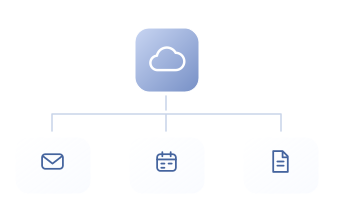
Google Workspace setup configures domains, users, groups, and security settings around your business’s working structure. ReklamKlik considers plan requirements, DNS steps, and user handover together and clarifies daily management scope.
Let’s turn your needs into a clear work plan.
Creating addresses alone is not enough when setting up business email. Account ownership, team access, and security settings also need planning. ReklamKlik configures Google Workspace around your domain and user requirements, linking daily management and support responsibilities to a clear handover plan.
What will you have at the end of the work?
- Domain and user setup plan
- Role and account security structure
- User training and handover
Scope, delivery schedules and responsibilities are clarified together during the quotation stage.
Who is it for?
Businesses seeking business email and collaboration on their own domain. Suitable for teams wanting centralized management of user access, account security, and internal file sharing.
Where should we start the conversation?
- Domain and DNS access
- User and group list
- Current email system and plan requirements
What do we address together?
Implementations planned around your needs and the scope of each area.
Domain, current email setup, and plan requirements analysis
We review domains, user counts, shared addresses, and file sharing. We define a setup sequence that preserves existing email operations and identify suitable Google Workspace plan requirements.
Domain verification and appropriate DNS configuration
We plan domain verification and email DNS changes alongside existing sending sources. MX cutover timing, record copies, and checks are included in the setup plan.
Users, groups, and administrator roles
Users, groups, shared addresses, and administrator roles are organized around business needs. Everyday user access is separated from privileged administrator access.
Initial Gmail, Drive, and Meet settings and plan fit
We align initial Gmail, Drive, and Meet settings with the selected plan and workflows. Storage, sharing, and meeting requirements inform licensing decisions.
Account security, access, and recovery processes
We separate administrator and user access and plan recovery and appropriate two-step verification. Responsible processes for departing users and lost accounts are documented.
User training, handover, and management scope
We design training around the team’s daily decisions and tools. Examples, practical tasks, and materials aim to turn knowledge into usable work, taking participants’ starting levels into account.
A clear purpose and deliverable at every step.
From initial assessment to implementation, and from implementation to regular improvement.
Defining domain, user, and plan requirements
Domains, existing email, and user and group requirements are reviewed. Plan and license costs and any data migration needs are scoped separately.
Authorized setup and access verification
The domain is verified, and DNS, users, and roles are configured. Sending, receiving, and basic sharing scenarios are checked with pilot users.
Training, handover, and ongoing management
The team is guided through daily Gmail, Drive, and Meet tasks. Administrator access, recovery, and monthly management responsibilities are handed over to the business.
How do we assess success?
- Verified user and group setup
- Completed security and access checks
- Recorded support actions
Verified domains, user and group configuration, and access checks are recorded. Mail migration and advanced security features are separate requirements and are not considered ready before plan conditions are verified.
Questions about Google Workspace Setup and Management.
Are G Suite and Google Workspace the same service?
G Suite is the former product name. New setups are assessed for Google Workspace and suitable plans; users searching by the old name are directed to the current product.
Is the license fee included in setup costs?
License fees, setup, and monthly management are shown separately. No fixed license price or authorized reseller claim is made without verifying the plan and purchasing model.
Is migrating old emails the same work as setup?
Creating users and configuring DNS are different deliverables from migrating historical data. If migration is needed, a separate plan covers the source system, data volume, and supported items.
Services contributing to the same goal.
Services we can plan together
Website Management
Maintenance, updates and a healthy website.
Discover the service ↗ Web & Creative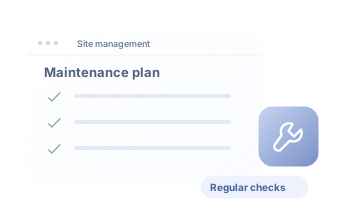
Business Email Migration
Migrate email through a planned, controlled process.
Discover the service ↗ Web & Creative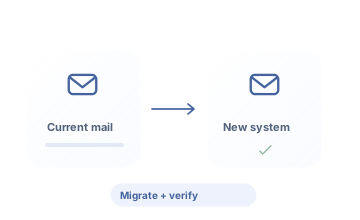
Email Deliverability
Sender identity and the delivery chain.
Discover the service ↗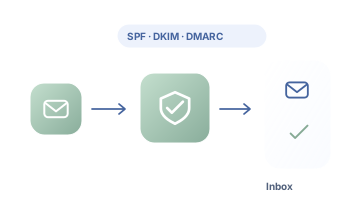
Request a quote for your needs.
Share your goal and current situation. Let’s define scope, priorities and the next step together.
0543 862 94 05merhaba@reklamklik.com