













 AEO and Answer Engine Optimization
 SEO Services and Search Engine Optimisation
 GEO and AI Search Visibility
 Social Media Content and Community Management
 Influencer and Creator Partnerships
 Digital PR and Link Building
 Local SEO and Google Business Profile Management
 Content Marketing
 App Store Optimisation
 E-commerce SEO Services
 Multi-location Map Management and Reporting
 Google Maps and Business Profile Management
 Review Management and Removal Request Tracking
 E-commerce Website Design
 Google Workspace Setup and Management
 Business Email Migration
 Email Deliverability
 Corporate Website Design
 AI-Assisted Website Development
 Website Management and Maintenance
 Shopify E-Commerce Design and Management
 Landing Page Design
 AI-Assisted Creative and Content Production
 AI Chatbot Setup
 Conversion Rate Optimisation and UX
 Ongoing Design and UX Support
 Brand Strategy and Corporate Identity
 Web Accessibility Audit
 Business Web Application Development
 AI and CRM Consulting
 Salesforce Setup and Consulting
 HubSpot CRM and Marketing Automation
 Zoho CRM Setup and Management
 GA4 and Google Tag Manager Setup
 Digital Marketing Data and Reporting
 Email, SMS, and Customer Retention
 AI Strategy and Roadmap
 AI Agents and Workflow Automation
 Marketplace Store Management
 Digital Marketing Strategy and Annual Roadmap
 Digital Marketing Consulting
 Fractional Marketing Leadership
 Digital Marketing Training and Workshops
 Performance Marketing Management
Connect your Google Ads budget to qualified customer enquiries.
Google Ads management involves planning, running and tracking advertising for your business’s products and services. ReklamKlik addresses campaigns, budgets and website experience alongside your lead generation and sales goals.

Focus on your business.
With Google Ads, focus on the right customers.
It is difficult to increase your budget without knowing which searches turn into customers. ReklamKlik addresses campaign structure, ad messaging and landing pages together. We track form enquiries through CRM outcomes, making the reasoning behind optimisation decisions clear.
A plan, implementation and clear reporting.
- Prioritised account assessment
- Campaign, budget and test plan
- Regular reporting explaining results and recommendations
Scope, delivery schedules and responsibilities are clarified together during the quotation stage.
Which goal for your business?
Service businesses seeking appointments, quotation requests or phone enquiries, and e-commerce brands seeking to improve product sales. Let’s define a scope around your goals, whether improving an existing account or planning your first campaign.
Where should we start the conversation?
- Target products or services
- Existing account and website address
- Media budget and customer acquisition goal
Focus your advertising
on growing your business.
More customer enquiries, product sales or brand visibility. Let’s shape your advertising plan around your business priorities.
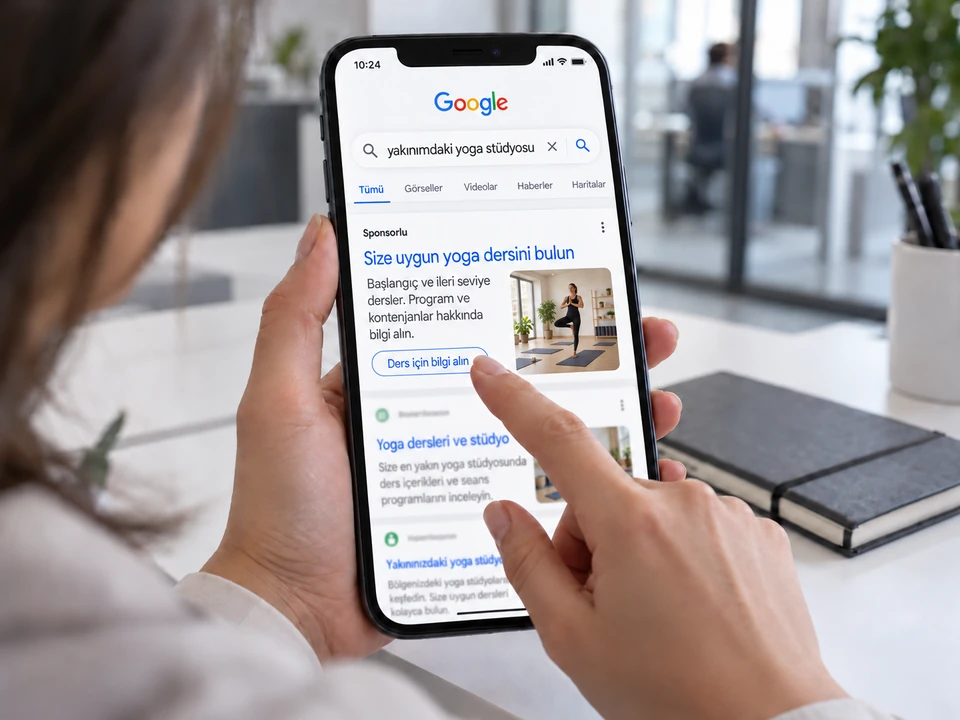
Reach customers who need you.
Welcome people searching for your service with the right message and easy contact.
Explore Search campaigns
Bring your products one step closer to a sale.
Improve product data, advertising and shopping experiences within the same plan.
Explore Shopping campaigns
Introduce people to your brand.
Tell your product’s story before the customer decides.
Explore video campaignsDiscover an approach suited to your business priorities.
Campaign options for your goals.
Let’s assess which campaign is appropriate and why.
Search campaignsService enquiries, appointments and direct product searches.
We match ad messaging to the intent of people searching for your service. Keywords, search terms, negative keywords and landing pages are assessed within one plan.
Performance MaxSufficient measurement infrastructure and suitable creative or product data.
We plan an objective-based campaign across multiple Google channels. Conversion data, creative variety and any product catalogue are checked at the outset, with automation guided by your business goals.
Shopping adsE-commerce businesses with a well-maintained product catalogue.
We align product names, images, prices and stock information with Merchant Center data. The choice between Shopping campaigns and Performance Max using a product feed is assessed alongside the catalogue and sales goals.
YouTube adsProduct explanations, awareness and pre-purchase consideration.
We plan video concepts, opening messages and post-view actions together. Creative and audience tests are developed by assessing views, website visits and commercial conversions separately.
Demand GenReaching new audiences and building product interest.
We design a discovery experience led by images and video. Channel options, creative suitability and conversion goals are planned around account conditions; we also assess whether existing Display activity needs migrating.
App campaignsMobile app installs and in-app actions.
We do not treat app installs and meaningful in-app actions as the same objective. Store information, creative assets and measurement integrations are checked to plan the campaign around the defined user action.
Every advertising step,
work towards the same goal.
From campaigns to your website, budgets to customer follow-up. Let’s plan the steps you need for Google Ads management together.
Search and eligible Performance Max campaigns
We separate search campaigns by service, customer intent and region.
Work details
Decisions to use Performance Max are supported by catalogue suitability, reliable conversions and campaign objectives; we assess branded demand separately from searches by new customers.
Search terms and negative keywords
We examine search intent from jobseekers, people seeking free solutions and searches outside your service scope.
Work details
Negative keywords are prepared without unnecessarily blocking queries that could lead to a quotation.
Merchant Center and product data
We trace Merchant Center errors back to the product source.
Work details
If incorrect pricing, stock or variant links affect product ads, we plan store data corrections before adjusting advertising settings.
GA4/GTM conversion validation
Forms are measured only after records are saved successfully; a phone link click is not counted as a conversation.
Work details
We test GA4/GTM events and eligible advertising conversions, checking that the same enquiry is not counted twice.
Budget and bidding strategy
We separate media budgets from agency and production expenses.
Work details
Changes to bidding strategy are assessed against reliable data volume, seasonality and the business’s capacity to handle demand.
Qualified leads and sales outcomes
We compare leads contacted, qualified and won by the sales team with their campaign sources.
Work details
For services generating many forms but few viable quotation opportunities, we adjust landing pages and targeting together.
A clear plan first. Regular improvement next.
We assess your account, define priorities and keep improving through results. Know what is being done and why at every stage.
Account and measurement audit
We review account spending history, search terms and successful form submission scenarios.
Explore the step
We prioritise measurement errors, irrelevant queries and commercial opportunities in the issue list.
Priority campaign plan
We match keyword groups, ad messaging, landing pages and test budgets for priority services.
Explore the step
Evaluation criteria for brand campaigns and new lead acquisition are documented separately.
Testing, optimisation and reporting
With sufficient data for the period, we assess query and ad changes against CRM acceptance outcomes.
Explore the step
Reports show the reasoning for budget increases, data gaps and the next test.
Beyond the click,
see its contribution to your business.
Assess advertising spend, customer enquiries and sales outcomes together. Know the data behind your next budget decision.
From budget to business outcomes.
Choose the example for your business model; read advertising spend and customer actions together.
From search to qualified customer enquiries.
Example Search Network campaign for a service business.
- Media budget
- 90,000 ₺
- Average cost per click
- 75.00 ₺
- Impressions
- 40,000Number of ad impressions
- Clicks
- 1,200Clicks on the ad
- Lead
- 60Form enquiries and recorded conversations
- Cost per lead
- 1,500 ₺Average media spend per lead
- Click-through rate
- 3.0%
- Lead conversion rate
- 5.0%
- Average cost per click
- 75.00 ₺
Explore sample data and calculations
| Period | Impressions | Clicks | Lead | Qualified lead | Spend |
|---|---|---|---|---|---|
| Week 1 | 7,500 | 240 | 10 | 6 | 18,000 ₺ |
| Week 2 | 9,000 | 280 | 14 | 8 | 21,000 ₺ |
| Week 3 | 11,000 | 320 | 16 | 10 | 24,000 ₺ |
| Week 4 | 12,500 | 360 | 20 | 12 | 27,000 ₺ |
Click-through rate = clicks / impressions. Lead conversion rate = leads / clicks. Cost per lead = media spend / leads. Cost per qualified lead = media spend / leads qualified in the CRM.
From product search to purchase.
Example for product-focused Search and Shopping campaigns.
- Media budget
- 150,000 ₺
- Average cost per click
- 30.00 ₺
- Impressions
- 250,000Number of ad impressions
- Clicks
- 5,000Clicks on the ad
- Purchases
- 125Purchase conversions attributed to advertising
- Cost per purchase
- 1,200 ₺Average media spend per purchase
- Click-through rate
- 2.0%
- Purchase conversion rate
- 2.5%
- Average cost per click
- 30.00 ₺
Explore sample data and calculations
| Period | Impressions | Clicks | Purchases | Sales value | Spend |
|---|---|---|---|---|---|
| Week 1 | 50,000 | 1,000 | 22 | 66,000 ₺ | 30,000 ₺ |
| Week 2 | 60,000 | 1,200 | 30 | 90,000 ₺ | 36,000 ₺ |
| Week 3 | 65,000 | 1,300 | 33 | 99,000 ₺ | 39,000 ₺ |
| Week 4 | 75,000 | 1,500 | 40 | 120,000 ₺ | 45,000 ₺ |
Click-through rate = clicks / impressions. Purchase rate = purchases / clicks. Cost per purchase = media spend / purchases. ROAS = ad-attributed sales value / media spend.
Illustrative scenarios · Not actual customer results or industry averages. Click costs vary by keyword, location, competition and campaign type.
From enquiry to sale,
keep following up.
We compare Google Ads spend, CRM-accepted lead counts and won opportunities for the same period. Branded searches are shown separately; we do not present phone clicks as calls or platform conversions as verified revenue.
- Cost per qualified lead
- Opportunity win rate
Search intent and customer profile
Bring the solution your customers seek together with the service you offer.
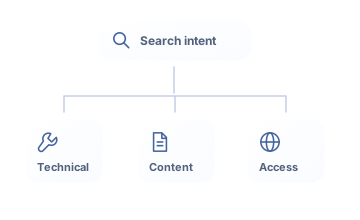
We examine search terms, service areas and customer decision stages together. We identify suitable queries and prepare negative keyword, ad messaging and landing page recommendations to reduce irrelevant enquiries.
- Service and search term alignment
- Location planning around actual service coverage
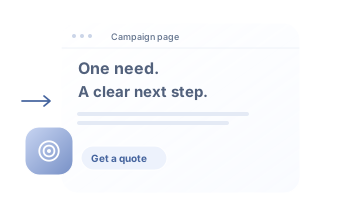
- Landing pages consistent with the ad’s promise
Budget, bidding and campaign controls
Let’s define the data and operating boundaries for automation at the outset.
We assess bidding strategies against conversion data quality, budgets and business objectives. We prioritise tests, regularly monitor spend allocation and include the reasons for changes in reporting.
- Separate media budgets and management fees
- Strategy selection based on conversion quality
- Separate tracking of creative and campaign tests
Conversion measurement and CRM feedback
Make what happens after the click visible.
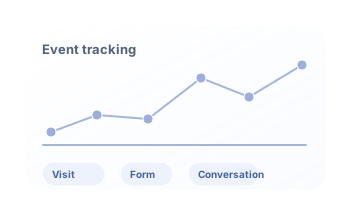
We define successfully saved forms, phone link clicks and completed conversations as separate events. By comparing sales team qualification and proposal outcomes with campaign data, we explain reporting limitations.
- GA4 and GTM event validation
- Separate lead, conversation and proposal stages
- Reporting on sources, periods and data limits
Google Ads Management:
before you decide.
Clear answers about advertising budgets, account ownership, campaign selection and working processes.
Let’s discuss your needs →Is the advertising budget included in the service fee?
No. The media budget and management fee are shown separately in the quote.
Who owns the account?
Your business retains ownership; management permissions are granted through appropriate agency access.
Which leads count as valuable in B2B campaigns?
Service needs, company fit and conversation outcomes are defined with your sales team. Campaign assessments track accepted opportunities and proposal stages alongside form counts.
What information is needed to advertise on Google?
We initially assess priority products or services, target regions, the existing website and advertising account, and media budget. Measurement and demand handling processes are checked; agency fees and ad spend are shown separately in the quote.
Services contributing to the same goal.
Services we can plan together
Before choosing a service
ask the right questions.
Let’s discuss your goal.
Let’s clarify the first step.
Tell us about your business, goals and existing advertising activity. Let’s clarify appropriate scope, priorities and budget approach together.
- Scope suited to your business
- Separate media budgets and management fees
- Measurement, reporting and next steps